VLC Media Player

Windows Media Player
For Windows Media Player, you need to go to Tools->Options... and the setting is under Player tab.

Real Player

 From BIOS screen, go to Processor Settings
 Change "Virtualization Technology" to "Enabled"
 This configuration can put in 6 3.5" harddisk
 T410 internal: There are 5 PCIe slots and take note that one slot is being used by the SAS card. All slots are PCIe Generation 2 except for slot 3.
 This configuration can put in 8 x 3.5" harddisk
 T710 internal
 T710 internal: With the cover taken away, you can see the processor and also the memory slots. Processors are E5502. It can support 144GB memory if all the memory slots are fully populate with 8GB RAM.
 T710 internal: There are 6 PCIe slots, 4 are x8, 1 is x16 and 1 is x4 and all are PCIe generation 2 which means each lane can support up to 5.0 Gb/s. There is actually one more PCIe slot which is actually being used to plug the SAS card.


 So to solve this, you can set the Ownership/Preferred Path to Controller in Slot A. Take note that if you only have one LUN and you allocate to controller that is not connected to your host. You might not even see the LUN from your host at all.
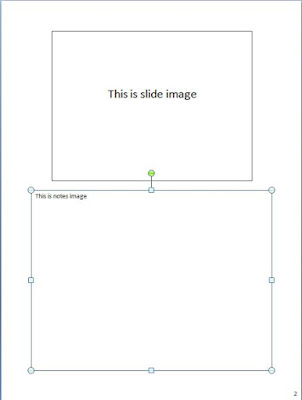
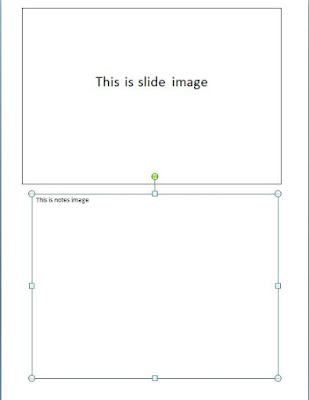
To overcome this, i prepare the VBA script below. Not sure if there is a non-VBA method that can be used to solve this, but if yes, please let me know also.
Sub resize()
    Dim x As Long
    Dim y As Long
    Dim i As Long
    Dim arrayCount As Integer
    Dim shapeNameArray() As String

    ' Loop through every presentation slide(s)
    For x = 1 To ActivePresentation.Slides.Count

        ' Manipulate shapes in notespage view
        With ActivePresentation.Slides(x).NotesPage

        ' Loop through every shapes in the notepage view slide
        For y = 1 To .Shapes.Count

            ' To select the presentation slide
            ' Usually the presentation slide will be on top,
            ' so use top property to limit the selection
            ' the use of height property is optional
            ' the use of this is mainly to filter away shapes like
            ' header, footer and page number
            ' which might be in place, and usually those shapes' height will not
            ' be higher than 90, so i use this as the condition
            ' The reason i say is optional is because you can always go to
            ' Edit Header and Footer to take out
            ' all header, footer and page number
            ' and reapply them later
            ' 1 inchi= 72

            If .Shapes(y).Top < 100 And .Shapes(y).Height > 90 Then
                .Shapes(y).Height = 364.32
                .Shapes(y).Width = 486
                .Shapes(y).Top = 28.08
                .Shapes(y).Left = 46.8

            ' To select the notes page
            ' Usually notes page will be be below presentation slide
            ' so use top property to limit the selection
            ' Again use of height is optional

            ElseIf .Shapes(y).Height > 90 And .Shapes(y).Top > 100 Then
                .Shapes(y).Height = 322.56
                .Shapes(y).Width = 486
                .Shapes(y).Top = 404.64
                .Shapes(y).Left = 46.8
            Else
                ' Do nothing
                ' or you want to apply something to the filtered shape here
            End If

        Next y
        End With
    Next x
End Sub


